
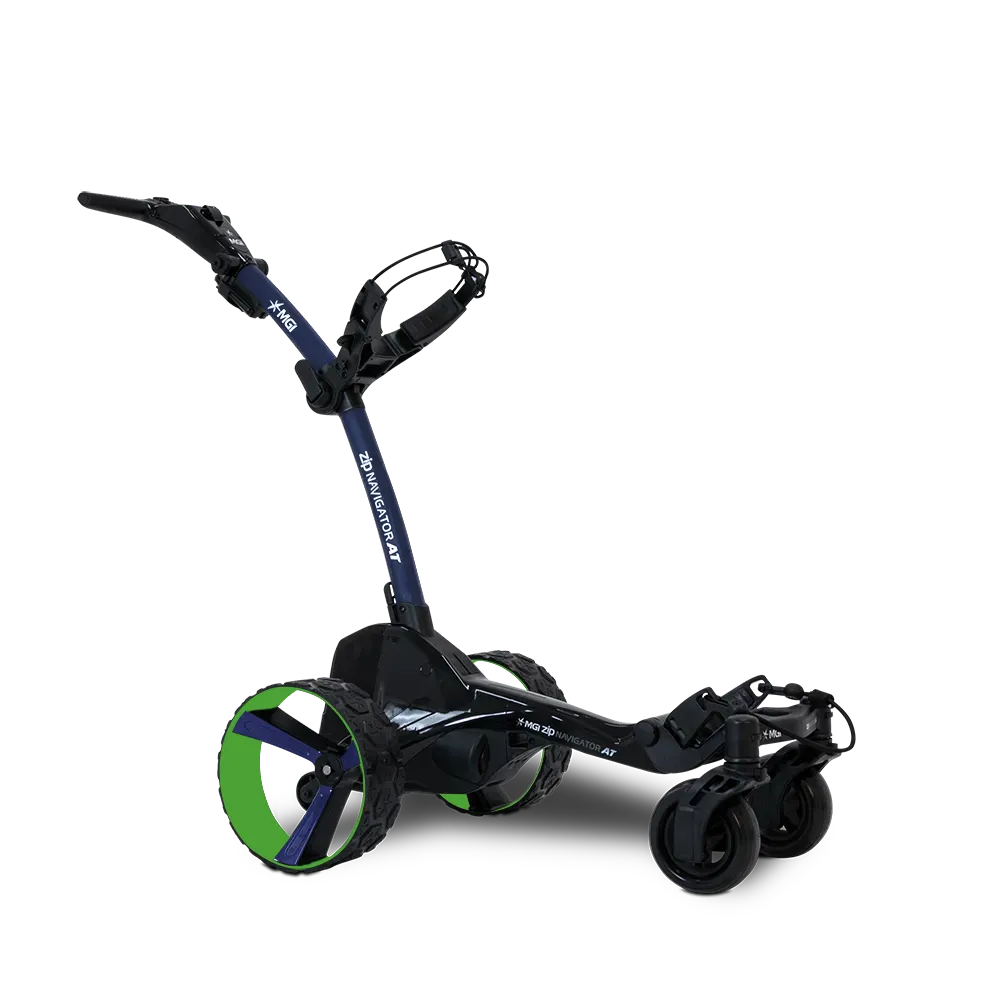
MGI Custom Studio - Zip Navigator AT
SKU
CADDY BODY - Frame Color NAVY BLUE [RZXNAT4000NB-CS] x1
CADDY BODY - Wheel Inserts NAVY BLUE [RZXNAT6005NB-CS] x1
CADDY BODY - Wheels GREEN [RZX56002] x1
TOPBOX - Speed Controls NAVY BLUE [RZXNAT7013NB-CS] x1
_configId Yg0_F2XORu4euTARA5o0EfKE
_productUrl https://us.mgigolf.com/products/demo-x-box-controller-rendered-images-for-each-color-copy
_cpb_frs_id 320884
_image https://app.thecustomproductbuilder.com/private-image/custom-product-builder-private/9861103716/images/orders/mgi-golf-9299143098600-ztYaN5dEi2nYHUp2rvSvSA3v.webp
CADDY BODY - Frame Color NAVY BLUE [RZXNAT4000NB-CS] x1
CADDY BODY - Wheel Inserts NAVY BLUE [RZXNAT6005NB-CS] x1
CADDY BODY - Wheels GREEN [RZX56002] x1
TOPBOX - Speed Controls NAVY BLUE [RZXNAT7013NB-CS] x1
_configId Yg0_F2XORu4euTARA5o0EfKE
_productUrl https://us.mgigolf.com/products/demo-x-box-controller-rendered-images-for-each-color-copy
_cpb_frs_id 320884
_image https://app.thecustomproductbuilder.com/private-image/custom-product-builder-private/9861103716/images/orders/mgi-golf-9299143098600-ztYaN5dEi2nYHUp2rvSvSA3v.webp
MGI Custom Studio - Zip Navigator AT
Sale price$1,799.00
HOW DO I PAIR THE REMOTE TO MY BUGGY?
1. Turn on Ai Navigator GPS+
2. Go to Settings and Remove Remote to remove original remote.
3. Turn on the replacement Ai Navigator GPS+ Remote
4. The remote LED will flash blue.
5.The LED will turn solid blue once paired to the Ai Navigator GPS+